
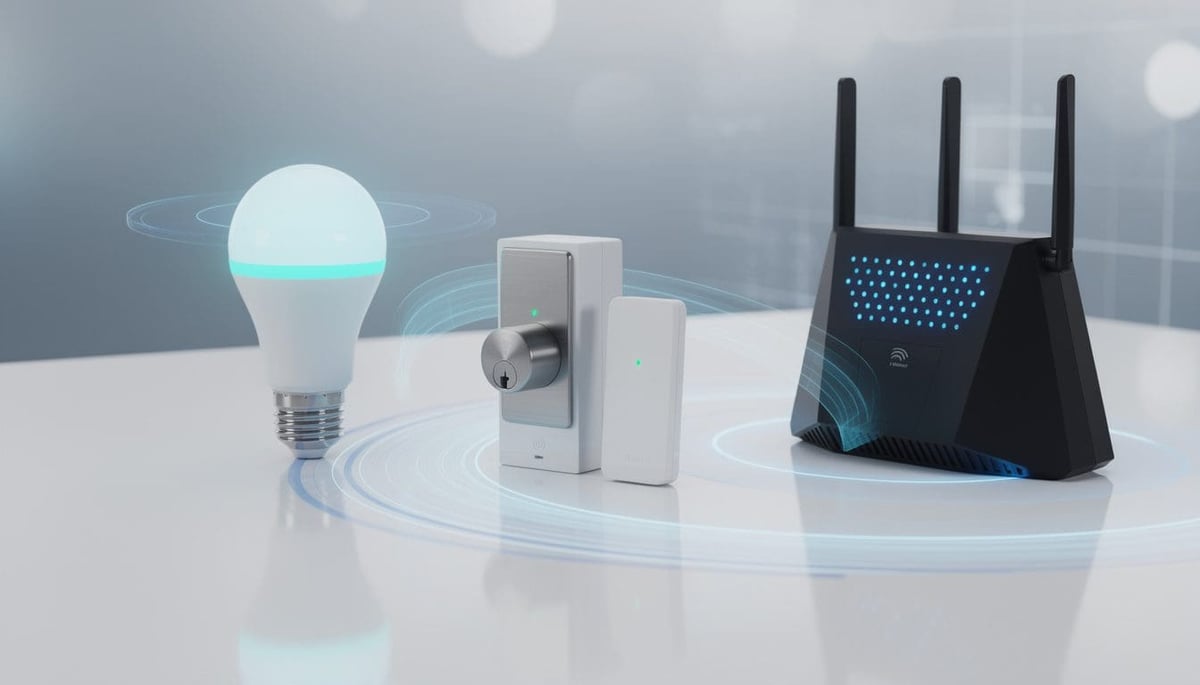
Smart homes have moved beyond a handful of connected bulbs and a voice assistant in the kitchen. Modern setups blend lighting, security, climate control, audio, and even irrigation into a single, responsive system. At the heart of all this are the communication protocols that quietly move data between devices: Zigbee, Z-Wave, and Wi-Fi. Each solves a different problem, and choosing the wrong one can leave automations laggy, unreliable, or power-hungry. Homeowners often discover that the question “Zigbee vs Z-Wave vs Wi-Fi: what’s best?” has no universal answer; it depends on layout, priorities, and how far they intend to push automation.
Consider a typical family home like the fictional Harper household. They want smart locks that never fail, lights that follow them through the hallways, low-maintenance sensors watching for water leaks, and cameras that stream smoothly when they are away. Matching each task to the right protocol is what makes their system feel effortless day after day. Industry comparisons such as independent guides to smart home connectivity and practical explainers like overviews of Zigbee, Thread, Z-Wave, and Wi-Fi differences consistently show that performance, security, and energy use vary sharply between these standards. Understanding those trade-offs is the first step toward a system that feels robust and future-ready rather than fragile and frustrating.
Smart home communication basics: how Zigbee, Z-Wave, and Wi-Fi actually work
Before comparing winners and losers, it helps to clarify what a smart home protocol actually does. At a technical level, it defines how devices encode data, which radio frequencies they use, how they discover each other, and how they confirm that a message—such as “turn the light on”—actually arrived. In everyday terms, a protocol is the language that lets an inexpensive motion sensor talk to a wall switch or a cloud service without misunderstanding or delay.
In a well-designed home, these languages are chosen deliberately. A smart bulb, lock, and thermostat may use different protocols, but they still participate in a unified system via a hub or platform. Resources like clear introductions to what home automation is highlight how these invisible connections underpin every scene, routine, and voice command.
Mesh vs star networks in the Zigbee vs Z-Wave vs Wi-Fi debate
Zigbee and Z-Wave are designed around mesh networking. Each mains-powered device can repeat messages for its neighbors, so the network becomes a lattice across the house. If one path fails, messages reroute through another, a feature often described as “self-healing.” Wi-Fi, in its standard form, uses a star topology: every device talks directly to the router or access point.
This difference shapes how homes should be planned:
- Zigbee favors many small devices at moderate distances, hopping from node to node.
- Z-Wave also meshes, but on a lower frequency better at penetrating walls.
- Wi-Fi focuses on high bandwidth over fewer hops, ideal for cameras and hubs.
Because mesh protocols depend on routing through neighbors, strategic placement matters. A long corridor of only battery-powered sensors with no mains-powered repeaters can create dead zones. Guides such as practical comparisons of Zigbee, Z-Wave, and Wi-Fi basics often stress that adding a few well-placed smart plugs can dramatically stabilize a mesh.
| Aspect | Zigbee | Z-Wave | Wi-Fi |
|---|---|---|---|
| Typical Topology | Mesh between devices and hub | Mesh with limited node count | Star, devices to router/AP |
| Primary Use | Sensors, lights, switches | Locks, alarms, reliable control | Cameras, speakers, hubs |
| Core Strength | Low power and scalability | Range and wall penetration | High-speed data, ubiquity |
| Main Weakness | Shared band with Wi-Fi interference | Device limit per network | Power usage and congestion |
For families like the Harpers, understanding this architecture shapes both purchase and installation decisions. A protocol is not just a spec sheet; it is a blueprint for how the home will behave under real-world load, from power cuts to holiday gatherings where dozens of phones and laptops join the network.

Protocol choice and the role of the smart home hub
An overlooked element in the Zigbee vs Z-Wave vs Wi-Fi discussion is the hub or controller. Zigbee and Z-Wave typically need a dedicated hub or a platform like Home Assistant, SmartThings, or Hubitat. Wi-Fi devices instead talk straight to the router but often rely on cloud servers and phone apps for logic. For anyone comparing different ecosystems, system comparison guides for automation platforms and explanations of smart home hubs are valuable starting points.
When hubs speak multiple languages, households gain flexibility:
- Use Zigbee for dense lighting and sensing.
- Deploy Z-Wave for critical security like door locks.
- Reserve Wi-Fi for cameras, intercoms, and streaming devices.
Ultimately, these foundations set the stage for detailed comparisons of range, battery life, security, and ease of use.
Coverage and reliability: which protocol works best in real homes?
Coverage is often where theory collides with the reality of brick walls, steel beams, and awkward floorplans. On paper, all three protocols claim indoor ranges of tens of meters. In practice, distance, interference, and node placement change everything. When the Harpers tried to add a detached garage to their setup, basic Wi-Fi devices frequently dropped offline, whereas a Z-Wave contact sensor on the side door remained reliable.
Z-Wave’s advantage in range and wall penetration
Z-Wave operates around 800–900 MHz, depending on the region. These lower frequencies travel farther and bend around obstacles better than 2.4 GHz waves. Indoors, a single hop can realistically cover much of a floor in a typical house, and additional nodes extend that reach. Z-Wave Long Range (LR) pushes this even further, allowing line-of-sight distances up to a kilometer in ideal conditions.
This makes Z-Wave especially suitable for:
- Large multi-story homes where devices must communicate through concrete or brick.
- Perimeter security, such as gates, sheds, or detached garages.
- Installations where adding many extra repeaters is undesirable.
Detailed write-ups like comparisons emphasizing Z-Wave’s range strengths consistently rank it as the coverage champion, especially once wall penetration is considered.
| Coverage Factor | Zigbee | Z-Wave | Wi-Fi |
|---|---|---|---|
| Indoor Practical Range | 10–30 m per hop | 20–40 m per hop | 20–30 m per AP, higher with mesh |
| Wall Penetration | Moderate, weaker through dense walls | Strong due to lower frequency | Moderate at 2.4 GHz, reduced at 5 GHz |
| Mesh Capability | Yes, many hops allowed | Yes, limited node count | Only if using special mesh systems |
| Best Use Case | Densely packed indoor devices | Sprawling homes and security | Internet access, cameras, hubs |
Zigbee’s shorter range but flexible mesh for dense automation
Zigbee, running at 2.4 GHz, loses some ground in pure distance and penetration, yet it compensates with a highly flexible mesh. Because it supports a very large number of nodes and hops, it can blanket an apartment or mid-sized house with coverage—if enough mains-powered repeaters are installed.
For the Harpers’ smart lighting, the layout looked like this:
- Zigbee bulbs in main rooms acting as routing nodes.
- A few Zigbee smart plugs bridging gaps in hallways.
- Battery-powered sensors piggybacking on this mesh.
Once that scaffolding was in place, commands like “Night mode” reliably reached every light within a fraction of a second. Guides such as in-depth Zigbee vs Z-Wave articles often note that Zigbee excels when many devices are clustered in a relatively compact space, such as apartments or townhouses.
Wi-Fi coverage: strong backbone, but not a perfect automation fabric
Wi-Fi coverage today is often improved with consumer mesh router kits that place access points throughout the home. This creates excellent internet coverage for phones and laptops, but it is not a true device-level mesh like Zigbee or Z-Wave. Each smart gadget still talks to an access point, and many are entirely dependent on a cloud server to act on data.
In the Harpers’ home, the Wi-Fi mesh was perfect for:
- 4K doorbell cameras and indoor cameras.
- Streaming speakers and smart displays.
- The central automation hub itself.
However, they deliberately avoided Wi-Fi for battery sensors and non-critical plugs. Resources like discussions on choosing the right connection explain how dedicating Wi-Fi to high-bandwidth devices keeps the network responsive while Zigbee or Z-Wave handle low-bandwidth control traffic.
For coverage, the key insight is that there is rarely a single “best” protocol. Z-Wave often wins at raw reach, Zigbee at dense coverage in smaller areas, and Wi-Fi at delivering broadband throughout the property. Balancing these strengths sets up the next question: how long can devices run before their batteries give out?

Power consumption and device counts: building scalable, low-maintenance systems
Nothing undermines a smart home faster than constant battery warnings. In spaces with dozens of sensors and remotes, power consumption is as important as range. Zigbee and Z-Wave were designed with frugality in mind, while Wi-Fi was built for speed. That single design decision echoes through battery life, network capacity, and reliability under heavy load.
Zigbee: extremely low power for massive sensor networks
Zigbee is tailored for devices that “sleep” most of the time and wake up only when they need to send or receive small bursts of data. A contact sensor that checks in periodically and signals only when a door opens can last years on a coin cell. Real-world deployments frequently report lifespans approaching a decade for well-designed sensors.
This makes Zigbee ideal for:
- Door and window sensors on every opening in a house.
- Environmental sensors tracking temperature, humidity, or water leaks.
- Handheld remotes that replace traditional switches.
Comparisons like overviews of Zigbee vs Z-Wave vs Wi-Fi for battery devices tend to rank Zigbee as the most battery-friendly protocol in typical consumer gear. It also supports enormous theoretical network sizes—up to around 65,000 nodes—which far exceeds what most homes will ever need.
| Metric | Zigbee | Z-Wave | Wi-Fi |
|---|---|---|---|
| Typical Battery Life | 2–10 years for sensors | 2–10 years (especially Z-Wave LR) | Months at best for small sensors |
| Max Devices per Network | ~65,000+ | Up to 232 traditional, more with LR | Router-dependent, often unstable at high counts |
| Ideal For | Large fleets of low-power gadgets | Moderate-sized secure installations | High-bandwidth, always-powered devices |
| Power Profile | Optimized for sleeping nodes | Designed for efficient low duty cycle | High baseline power usage |
Z-Wave and Z-Wave LR: battery-friendly with a focus on reliability
Z-Wave has long been considered a good compromise between power use and reliability. With the newer Long Range extension, it becomes competitive with Zigbee even in battery life. Dynamic power control allows devices to adjust transmission strength based on link quality, preventing them from constantly broadcasting at maximum power.
For the Harper family’s security setup, this meant:
- Z-Wave door locks with multi-year battery life.
- Z-Wave glass-break sensors in vulnerable rooms.
- A Z-Wave siren module acting as both alarm and repeater.
Because security devices may sit idle for months before a single event, efficiency matters. Industry articles like comparisons of Z-Wave vs Zigbee vs Wi-Fi for larger homes often underline that a carefully planned Z-Wave network can support a full complement of security devices without frequent battery replacements.
Why Wi-Fi struggles with battery devices and high device counts
Wi-Fi consumes significantly more energy than the other two protocols. While newer standards like Wi-Fi 6 have improved efficiency, they are still not optimized for coin-cell sensors that must last for years. A Wi-Fi presence sensor can be built, but it typically requires either a large battery or regular charging, which becomes impractical when multiplied across a house.
Wi-Fi also faces challenges in scaling to very high device counts:
- Many consumer routers struggle once dozens of IoT devices are attached.
- Each Wi-Fi device often maintains a more complex connection state.
- Cloud dependence can increase latency and failure points.
This is why many seasoned installers reserve Wi-Fi for always-powered endpoints like cameras and smart speakers, then use Zigbee or Z-Wave for the “silent majority” of sensors and switches. For those exploring use cases such as smart plug deployments across a home, choosing a low-power protocol for most control points can dramatically reduce maintenance.
For scalability, the takeaway is clear: Zigbee leads in sheer number of devices, Z-Wave balances capacity with predictable behavior, and Wi-Fi should be used selectively to avoid overwhelming consumer networking gear.

Security, interoperability, and future-proofing your smart home protocols
The smartest automation is useless if it can be easily compromised or becomes obsolete within a few years. Security and long-term compatibility are now top priorities, especially as connected locks, cameras, and alarms become common. Households like the Harpers increasingly look for protocols that maintain local control, strong encryption, and broad vendor support rather than locking everything into a single cloud.
Z-Wave’s mandatory encryption and controlled ecosystem
Z-Wave takes a comparatively strict approach. Devices must pass certification, and modern Z-Wave products use the S2 security framework with AES-128 encryption as standard. This mandatory security model means that, regardless of manufacturer, a certified device must implement certain protections and follow the same rules for secure pairing.
The benefits are easy to see in security-focused installations:
- Locks and alarms share a consistent, encrypted communication model.
- Vendors cannot cut corners on basic cryptographic protections.
- End users gain predictable behavior across brands.
For a family relying on Z-Wave door locks for nighttime security, this assurance matters more than having the widest range of experimental gadgets.
Zigbee 3.0 and the shift toward unified, secure networks
Zigbee 3.0 significantly improved security compared to earlier Zigbee profiles. It also uses AES-128 encryption and introduces concepts such as installation codes to generate unique device keys. However, the more open nature of the Zigbee ecosystem means that implementation quality can vary by vendor.
As a result, when selecting Zigbee products, it is wise to:
- Prefer brands that clearly document security features.
- Update firmware through a reliable hub when available.
- Check independent reviews that test real-world behavior.
In return, consumers gain access to a very broad catalog of devices, from established lighting lines to niche sensors. Articles like comparisons of Zigbee, Z-Wave, Wi-Fi, and Bluetooth often emphasize that Zigbee offers a strong balance of security and flexibility, provided users pay attention to vendor reputation.
| Security / Future-Proof Factor | Zigbee | Z-Wave | Wi-Fi |
|---|---|---|---|
| Encryption Standard | AES-128 (Zigbee 3.0) | AES-128 (S2) | WPA2/WPA3 on network, app-dependent per device |
| Certification Strictness | Moderate, varies by ecosystem | High, enforced by Z-Wave Alliance | Router certified; IoT device quality varies widely |
| Local Control Possible? | Yes, via local hubs | Yes, default for many controllers | Often cloud-centric, local options vary |
| Risk of Vendor Lock-in | Lower with open ecosystems | Moderate but predictable behavior | High if reliant on brand-specific clouds |
Wi-Fi security: strong tools, uneven implementations
Wi-Fi itself can be very secure when using modern standards like WPA3 and strong passwords. The challenge lies not in the radio protocol but in how each manufacturer designs cloud services and apps. Some brands patch aggressively and support local integrations; others ship devices that never receive updates.
Practical steps for safer Wi-Fi smart homes include:
- Using a separate SSID or VLAN for IoT devices where possible.
- Keeping routers and access points fully updated.
- Preferring vendors with a good track record for security patches.
Beginners can explore resources such as introductions to smart home security to understand why pairing cloud-reliant Wi-Fi devices with privacy-conscious configurations is so important. For truly critical functions, many enthusiasts lean toward local Zigbee or Z-Wave control instead of relying entirely on remote servers.
Future-proofing through interoperability and standards awareness
Beyond security, future-proofing means avoiding dead-end ecosystems. Platforms that support multiple protocols and standards like Matter, as well as local automation engines, reduce the risk of hardware becoming useless if a vendor shuts down its cloud. Broad comparisons across Zigbee, Z-Wave, Wi-Fi, and Bluetooth regularly suggest combining protocols rather than trying to pick only one “winner.”
For the Harpers, this translated into three principles:
- Critical devices like locks and alarms should continue working even if the internet fails.
- Lighting and comfort systems should remain operable via local switches and rules.
- Cameras and cloud services should be treated as optional layers, not dependencies.
In that sense, the best protocol is the one that keeps functioning gracefully when things go wrong, not just when everything is perfect.
Practical use cases: matching Zigbee, Z-Wave, and Wi-Fi to everyday needs
Abstract specifications turn into meaningful decisions only when tied to concrete scenarios. Looking at real-world applications clarifies where each protocol shines. For most households, the winning formula is a thoughtful mix, not rigid loyalty to one standard.
Lighting, sensors, and everyday comfort with Zigbee
The Harpers chose Zigbee as the backbone of their everyday automations. Zigbee bulbs, motion sensors, and wall switches coordinated scenes like “Movie Night,” “Away,” and “Morning Routine” with minimal delay and little need for ongoing maintenance.
Typical Zigbee-centric applications include:
- Whole-home dimmable lighting that responds to voice or schedules.
- Door and motion sensors driving occupancy-based lighting in halls and bathrooms.
- Climate sensors informing smart thermostats or radiator valves.
Step-by-step tutorials such as guides to smart lighting in apartments often lean on Zigbee devices precisely because they offer mesh resilience, low power use, and broad compatibility with mainstream hubs.
| Use Case | Best Protocol | Reason |
|---|---|---|
| Room-by-room lighting scenes | Zigbee | Fast, low-power, many bulbs per hub |
| Perimeter door locks and alarms | Z-Wave | Strong range and mandatory security |
| High-resolution video surveillance | Wi-Fi | High bandwidth and direct router access |
| Scattered utility sensors (basement, attic) | Z-Wave or Zigbee | Efficient battery use and mesh |
Security and access control with Z-Wave
For anything that must work flawlessly at 3 a.m., the Harpers favored Z-Wave. Door locks, contact sensors on exterior doors, and a siren were all Z-Wave-based. These connected to a hub that continued to enforce scenes locally, even if the WAN link went down.
Common Z-Wave-centered security deployments feature:
- Keypad locks that report status and accept remote lock/unlock commands.
- Garage door controllers with reliable coverage to detached spaces.
- Multi-sensor devices monitoring motion, temperature, and light in critical areas.
For those just starting to explore automation basics, articles such as explanations of home automation concepts and more focused protocol comparisons like Zigbee vs Z-Wave deep dives can help distinguish where extra reliability justifies slightly higher device costs.
Cameras, voice assistants, and data-heavy tasks with Wi-Fi
While Zigbee and Z-Wave handle the “silent” tasks, Wi-Fi remains the obvious choice for the loud and visible parts of a smart home: cameras, streaming speakers, smart TVs, and the central automation hub. These devices are typically plugged in, need high throughput, and benefit from direct connections to the home network.
For the Harpers, Wi-Fi supported:
- Front door and interior cameras streaming HD and 4K video.
- Multi-room speakers playing synchronized audio.
- Voice assistants providing natural language control.
When combined with a thoughtful underlying protocol mix, Wi-Fi becomes the presentation layer rather than the sole foundation. Comparative resources such as guides on choosing between Zigbee, Z-Wave, and Wi-Fi show how this division of labor keeps each protocol in its strength zone.
Blending protocols through hubs and platforms
The final piece of the puzzle is how to manage everything without juggling a dozen apps. A capable hub or platform brings together Zigbee, Z-Wave, and Wi-Fi, exposing them through a unified interface. Overviews such as explanations of hub roles detail how these controllers coordinate scenes and automation logic across heterogeneous devices.
In practice, this means a simple automation like “If the Z-Wave front door opens after dark, turn on the Zigbee hallway lights and send a notification via a Wi-Fi-connected hub app” becomes trivial to build and maintain. For anyone planning larger projects, broad comparisons like multi-protocol smart home comparisons reinforce this multi-layer approach as the most robust strategy.
Is Zigbee, Z-Wave, or Wi-Fi better for a first smart home setup?
For a small starter setup, Wi-Fi devices are often easiest because they connect directly to your existing router and usually require only a phone app. As the system grows, adding a hub that supports Zigbee and Z-Wave makes sense, allowing battery-powered sensors and switches to run efficiently while Wi-Fi handles cameras and voice assistants.
Which protocol is recommended for smart locks and security sensors?
Z-Wave is commonly preferred for locks, alarm sensors, and other security-critical devices thanks to its sub-GHz range, mandatory S2 encryption, and strong wall penetration. Many professional-grade alarm panels and hubs support Z-Wave specifically for this reason, although secure Zigbee implementations can also be effective when paired with a reliable hub.
Can Zigbee, Z-Wave, and Wi-Fi devices all work together?
Yes. Many modern hubs and platforms are designed to act as translators between protocols. They connect to Zigbee and Z-Wave radios while also integrating Wi-Fi devices through APIs or local discovery. Once linked to a central platform, automation rules can freely mix actions across all three standards.
How many devices can each protocol support in a single home?
Zigbee can theoretically support tens of thousands of nodes, making it ideal for dense networks of bulbs and sensors. Z-Wave classic networks support up to 232 nodes, which is sufficient for most houses, while Z-Wave Long Range can go much higher. Wi-Fi capacity depends on the router and environment, but practical limits are usually lower because each device uses more bandwidth and connection overhead.
What is the best way to avoid performance issues as the smart home grows?
Segment roles by protocol: use Zigbee or Z-Wave for low-bandwidth sensors and controls, reserve Wi-Fi for cameras and hubs, and rely on a capable controller that can manage all of them locally. This reduces congestion on any single radio band, improves battery life for small devices, and keeps the system functional even if an external cloud service has an outage.